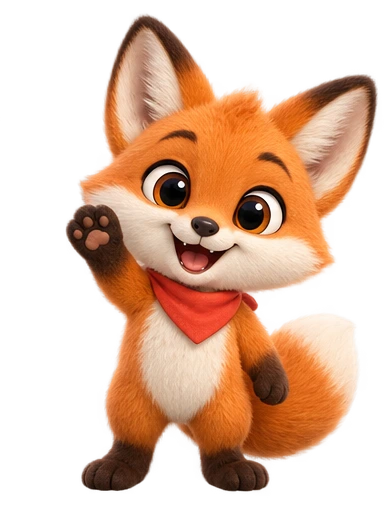
What a faceless channel with an animated character really needs
A faceless YouTube channel is one where the creator never appears on camera: narration over screen recordings, gameplay, stock footage, diagrams or motion graphics. What that format usually lacks is a someone, and an animated character host fills the gap. Viewers remember a character the way they remember a presenter, the channel icon becomes a personality instead of a logo, and a Short opens on a familiar face rather than an anonymous voice.
Two honest caveats before any workflow:
- The character is packaging, not content. It improves recognition and gives you reaction beats to cut to. It does not rescue a weak script, a vague topic or bad audio.
- Many AI character clips do not lip-sync, including the clips from our own studio. So the realistic format is not a cartoon talking head reading your script; it is a character who listens, reacts, points and celebrates while your voice carries the content. Planned for from the start, this looks deliberate. Discovered halfway through, it looks cheap.
The rules come first, because they decide what kind of channel you can safely build. The workflow follows.
Can a faceless channel with an AI character be monetised?
Yes. The YouTube Partner Program does not require a face. To earn from ads you currently need 1,000 subscribers plus either 4,000 qualified watch hours on public long-form videos in the last 12 months, or 10 million qualified Shorts views in the last 90 days. Staying monetised depends on YouTube’s channel monetisation policies, and one of them matters most for character channels.
The inauthentic content policy
On 15 July 2025 YouTube updated its “repetitious content” policy to say explicitly that it covers repetitive and mass-produced content, and renamed it inauthentic content. YouTube says this content was always ineligible; the update clarified the wording. The policy text lists, among things that cannot be monetised:
- Repetitive videos with little educational value, commentary or narrative, or minimal variation between them.
- Videos where characters are “put in the same situation over and over again with the same outcome”.
- Slideshows, templated storylines or scrolling text with little or no narrative or commentary.
- AI-generated content from generic templates that looks mass-produced, without the creator’s own insight or perspective.
The same page explicitly allows what a mascot channel relies on: the same intro and outro when the bulk of each video differs, and a series following the same characters when each episode has its own storyline, focus or concept. The character can be the constant; the content cannot.
| Pattern | Risk | Why |
|---|---|---|
| Same character waves in every intro, then a different, researched topic | Low | Same intro, different substance: explicitly allowed. |
| Recurring character reacting to new stories or tutorials you wrote | Low | A series device; each episode is distinct. |
| Same reaction clips in the same order, templated script, only the topic swapped | High | Templated storyline, minimal variation. |
| The same gag with the same punchline in every Short | High | Named almost word for word in the policy. |
| Near-identical AI-narrated videos over AI visuals, no added perspective | High | Impression of mass production. |
A useful self-test: if a regular viewer watched five of your videos back to back, would they feel they had seen five different things? Reusing the character, intro, colours and edit style is fine. Reusing the script structure, the jokes and the order of reaction beats is what puts a channel at risk. The separate reused content policy also applies: other people’s clips with your character pasted on top are not transformation, even with permission.
Do you have to label an AI cartoon character on YouTube and TikTok?
YouTube
YouTube’s disclosure rule is about realism. When you upload in YouTube Studio, the Attributes section asks about AI use, and you must answer yes when AI-made or AI-altered content looks real: a real person appearing to say or do something they did not, altered footage of a real event or place, or a realistic scene that never happened. AI-generated music must be disclosed too.
An obviously animated character is not. YouTube’s disclosure help page lists unrealistic content, including AI-generated or altered animation, among things that need no label, alongside green-screen effects, minor edits such as colour filters and upscaling, AI help with scripts, titles and thumbnails, and cloning your own voice for voice-overs. If you do disclose animated AI content, the label appears in the expanded description rather than on the player, and YouTube says disclosing does not limit a video’s audience or its eligibility to earn.
Two edge cases. A generic synthetic narrator is not among YouTube’s must-disclose examples, but a voice imitating a real person other than you is. And YouTube may label a video itself if the file carries C2PA Content Credentials or its systems detect AI content; those labels cannot be removed by the creator. Repeatedly failing to disclose when required risks a label being added for you, removal, or suspension from the Partner Program.
TikTok
TikTok’s AI-generated content rules define AI content broadly, including cartoon and anime styles. A label is required for realistic AI images, audio and video, and encouraged for anything completely generated or significantly edited with AI; the Community Guidelines indicate that a clearly artistic style such as anime does not need disclosure. To label in the app, tap More options before posting and turn on AI-generated content. TikTok says the label does not affect distribution and cannot be removed after posting. It may also add its own label when a file carries Content Credentials or was made with TikTok’s AI effects.
| What is in the video | YouTube | TikTok |
|---|---|---|
| Stylised AI cartoon host, your own voice | Not required | Not required; encouraged |
| Natural-sounding synthetic narrator | Not in the required examples | Label it: realistic AI audio requires one |
| Voice imitating a real person | Required | Required (and get consent first) |
| AI-generated music as a feature of the video | Required | Label it |
Our recommendation: on TikTok, switch the label on for any video with an AI-generated character, since TikTok says it costs nothing in reach. On YouTube, answer honestly against the realism test, and say how the character is made in your channel description.
Give the animated character a job before you design it
The decision that shapes everything else is what the character does on screen. Four roles cover almost every faceless channel, and they need different clips and different amounts of screen time.
| Role | On screen | Clips it needs | Suits |
|---|---|---|---|
| Host | Much of the video, in a corner or lower third, reacting to the narration | Idle loop, hello, pointing, thinking, celebrating | Explainers, tutorials, ranked lists |
| Sidekick | Pops in to react to the narrator’s point, then leaves | Celebrating, shrug, facepalm | Storytime, history, myth-busting |
| Reaction cutaway | A full or half-frame beat between segments | Two to four strong reactions | Commentary, quizzes, reviews |
| Intro/outro bumper | Opens and closes every video, sits beside the end screen | Hello, goodbye wave, pointing | Any channel: the minimum viable mascot |
If you are unsure, start as a bumper plus two reactions. It is cheap, it brands every upload, and within a dozen videos you will know whether viewers respond to the character.
Faceless channel ideas where a character host earns its place: screen-recorded tutorials (the host points at what matters), narrated explainers, quiz Shorts (the character thinks, then celebrates the answer), history storytime and language lessons. Where it adds little: ambient and music channels.
Design for the smallest place the character will appear: a 98-pixel circle as your profile picture, perhaps a quarter of a phone screen in a Short. It needs a silhouette that reads at that size, one dominant colour to build the channel around, and no text or fine pattern on its body. A beak, a muzzle or a closed mouth also helps, because a face not obviously built for talking draws less attention to lips that never move. The character prompt guide covers describing a character so it comes out as pictured; the mascot design guide goes deeper on silhouette and personality.
Build a reusable clip library from one approved design
Consistency is the whole point of a recurring character: viewers must see the same creature in episode 40 as in episode 1. That is why, in Character Animation AI, the design comes first and gets locked. You describe the character (or upload a sketch as a reference), choose a style (Soft 3D, Stylized, Anime or Flat), regenerate until you like it, and approve it. Every later animation is generated from that design, so next year’s clips match today’s.
Each animation costs one credit, renders in a few minutes with the background removed, and downloads as transparent MOV (ProRes 4444) for editors, transparent WebM, transparent GIF and MP4. A starter set for a host or sidekick:
| Clip | How to make it | Length |
|---|---|---|
| Idle (on-screen loop) | Idle preset, direction set to back-and-forth | 10–12 s |
| Hello | Wave preset | 4–6 s |
| Thinking | Custom motion | 6 s |
| Pointing right | Custom motion | 4 s |
| Pointing left | Mirror the pointing-right clip in the free editor | 4 s |
| Celebrating | Jump preset, or a custom fist pump | 4–6 s |
| Shrug | Custom motion | 4 s |
| Facepalm | Custom motion | 4 s |
Custom motions are written in plain words. Keep each to one action, performed on the spot (the camera does not move), and end it back at rest so the clip cuts cleanly into the idle loop:
Thinking     Taps chin slowly with one hand, eyes looking up, then gives a
             small "got it" nod and returns to a relaxed pose.
Point right  Turns slightly and points to the right with one arm extended,
             holds the point for a beat, then lowers the arm.
Celebrate    Pumps both fists in a quick, delighted celebration, bounces
             once, then settles back with a big smile.
Shrug        Shrugs both shoulders with open palms and a puzzled look,
             holds it, then relaxes.
Facepalm     Slowly brings one hand to the forehead with eyes closed, shakes
             head slightly, then lowers the hand.
Budget around 9 to 12 credits for this set, including a couple of design regenerations. The free editor (no credits) does the finishing: trim each clip to the useful part, set the idle loop to back-and-forth so it never jumps, mirror the pointing clip for the opposite direction, and change speed (0.5× to 2×) if a reaction needs to land faster. One caveat on mirroring: anything asymmetric flips too (a chest logo, a side parting), so if your design has one, generate the left-pointing clip separately.
Name files so you can find them mid-edit (host_point-right_4s.mov) and keep the MOV masters in one folder: that folder is the channel’s cast. Add clips as episodes call for them (a magnifying glass for a mystery series) rather than generating fifty up front.
Putting the character on YouTube Shorts and TikTok (9:16)
YouTube Shorts can now run up to three minutes, and a square or vertical video of three minutes or less uploaded after 15 October 2024 is treated as a Short. Vertical 9:16 fills the phone screen; 1080 × 1920 is the usual working resolution. One trap: a Short over one minute with an active Content ID claim is blocked worldwide until the claim is resolved, so be careful with music in longer Shorts.
Scale and placement
The character clips are 720 × 720. At native size on a 1080 × 1920 timeline the character fills two-thirds of the frame width, about as large as it should go before it softens. For a host beside footage, 50–70% of native size leaves room for the content. For a full-frame reaction cutaway, native size centred over a flat brand colour works well.
The Shorts and TikTok players stack buttons down the right edge and put the title and caption across the bottom. Keep the character left of centre or centred, above the bottom fifth of the frame, and check every export on a phone: what looks fine in the editor can end up under the like button.
In the editor
The guide to transparent overlays in video editors covers alpha settings in detail. The short version for a vertical project:
- CapCut (desktop): set the project ratio to 9:16, import the MOV and drag it to a track above your main clip; it composites without extra settings. The mobile app handles imported alpha unreliably, so use the transparent GIF there.
- Premiere Pro: create a sequence with a custom 1080 × 1920 frame size and place the MOV on a track above the footage. A black box means the alpha needs setting: right-click the clip › Modify › Interpret Footage.
- DaVinci Resolve: File › New Timeline, untick Use Project Settings, and set 1080 × 1920 on the Format tab. If the MOV shows a black box, check Clip Attributes › Alpha Mode.
Save the character tracks, colours and caption style as a reusable project, but write each script fresh and place reactions where that script earns them, not at fixed timestamps. That is what keeps a consistent channel clear of the inauthentic content policy.
Voice, and working around no lip-sync
Record the narration separately. Your own voice is the strongest option for a faceless channel: it is the part of you the audience gets to know, it carries the personal perspective the monetisation policy asks for, and it needs no AI label. Text-to-speech suits some formats, but pick one voice and keep it; the voice becomes part of the character as much as the design does.
Because the clips do not lip-sync, do not make the character the speaker. Make it a reactive presence:
- The narrator talks; the character listens (an idle loop, or a custom slow nod) beside the footage.
- The character reacts on the beat where your line lands: celebrates the reveal, shrugs at the myth, facepalms at the mistake.
- Pointing clips direct the eye to the chart, the line of code, the next step.
- Take the character off screen during dense sections. Screen time is not the goal.
- Burn in captions, so the voice clearly belongs to a narrator, not to a character whose mouth is still.
If your format genuinely needs a talking character, use a tool built for it: a PNGtuber setup whose mouth opens with your microphone (see the PNGtuber avatar guide), a Live2D VTuber rig with face tracking, Adobe Character Animator for audio-driven lip-sync, or a talking-avatar generator. Those suit a talking head better. A clip library suits a reactive host, and the two can share one character design.
Channel branding from the same character
Use the approved design on every brand surface so the character is the channel’s identity everywhere a viewer meets it. YouTube’s current branding specs:
| Asset | YouTube spec | Made from the character |
|---|---|---|
| Profile picture | Renders at 98 × 98 px; JPG, GIF, BMP or PNG up to 15 MB; animated GIFs not allowed | Head-and-shoulders still on your brand colour |
| Banner | At least 2048 × 1152 px (2560 × 1440 recommended), 6 MB or smaller; text and logos inside the central 1235 × 338 px | Character at one end of the safe area, channel name beside it |
| Video watermark | Square, at least 150 × 150 px, under 1 MB | A small head-only still |
| End screen | Long-form videos of at least 25 seconds; elements in the last 5–20 seconds | Goodbye wave or pointing clip beside the subscribe elements |
Pick one colour from the design and use it everywhere: profile background, banner, thumbnail accents, caption highlight, and the background colour of the MP4 export when you want an opaque version for a cutaway. For thumbnails, pause a clip on its most expressive frame (the facepalm or celebration usually beats the neutral pose) and export that still. Reuse the same profile picture and colour on TikTok so viewers recognise the channel there too.
Your first week with an animated host
- Write three scripts before designing anything. If they are not worth watching without a character, fix that first.
- Choose the role: bumper, sidekick, host or cutaway.
- Design and approve the character. The 3 free credits cover one design and two animations, enough to see whether a hello and an idle loop work over your footage.
- Generate the starter library of six to eight clips, then trim, loop and mirror them in the free editor.
- Build the vertical project with character tracks, captions and colour, and write every script fresh.
- Upload with honest labels: AI use answered against the realism test on YouTube, the AI-generated content setting on TikTok.
- Make the profile picture, banner and watermark from stills of the same design.
Start at sign-up with a Google or GitHub account; the free credits need no card. If the channel is or will be monetised, the Professional plan is the one with the commercial licence (see pricing). For the same cast in longer, landscape videos, the guide to animated characters for explainer videos picks up where this one leaves off.